FindMore OSINT Agent: From Question to an Investigation
How the FindMore Agent takes a question, gathers relevant evidence and builds a report you can inspect, question and continue exploring.
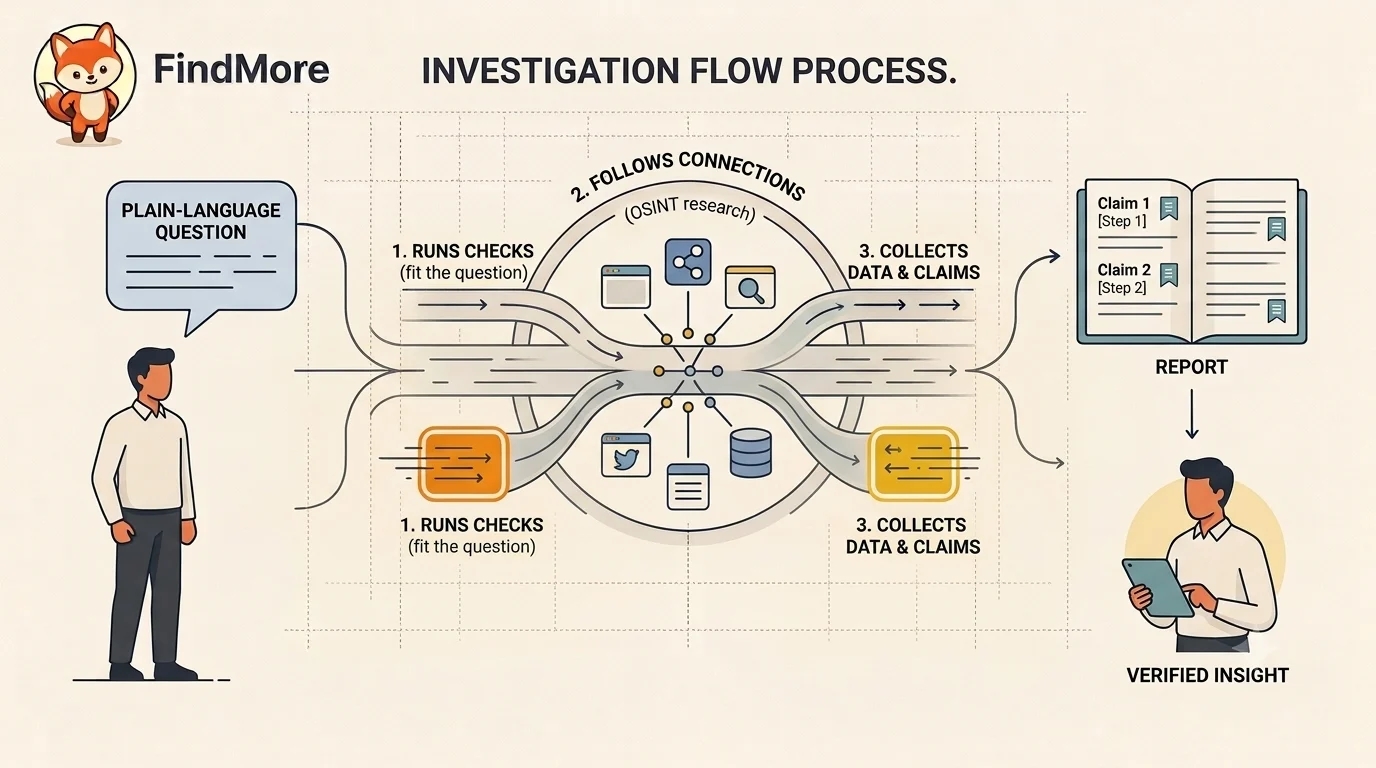
Most OSINT starts with a tool. You pick a lookup, learn to read its output, then do it again for the next one, and the next. That works but it also puts the hardest part on you: knowing which tool to reach for, and how to connect what each one returns without guessing.
The FindMore Agent flips that around. It is a general research agent for finding clues on the internet. You describe what you want to understand in plain language. It decides where to look, gathers evidence through FindMore's checks and the open web, and hands back a report where every claim traces back to where it came from. The skill moves into the tool. You start from a question, not a technique.
That opens it to two kinds of people. If you want to see what the internet already shows about you, your domain, your accounts, your mail setup, you just ask, and you read the evidence for what it is. If OSINT is your job, a journalist working a lead or an investigator building a picture, the agent takes the legwork. It runs the checks and pulls the threads together, so your time goes to judgment instead of tooling.
This is the first version. It ships with a focused set of checks and web search, and it is built to grow. We keep adding tools, and the agent gets sharper every time we do. Here is how a question becomes an investigation today.
Start with a question, not a query
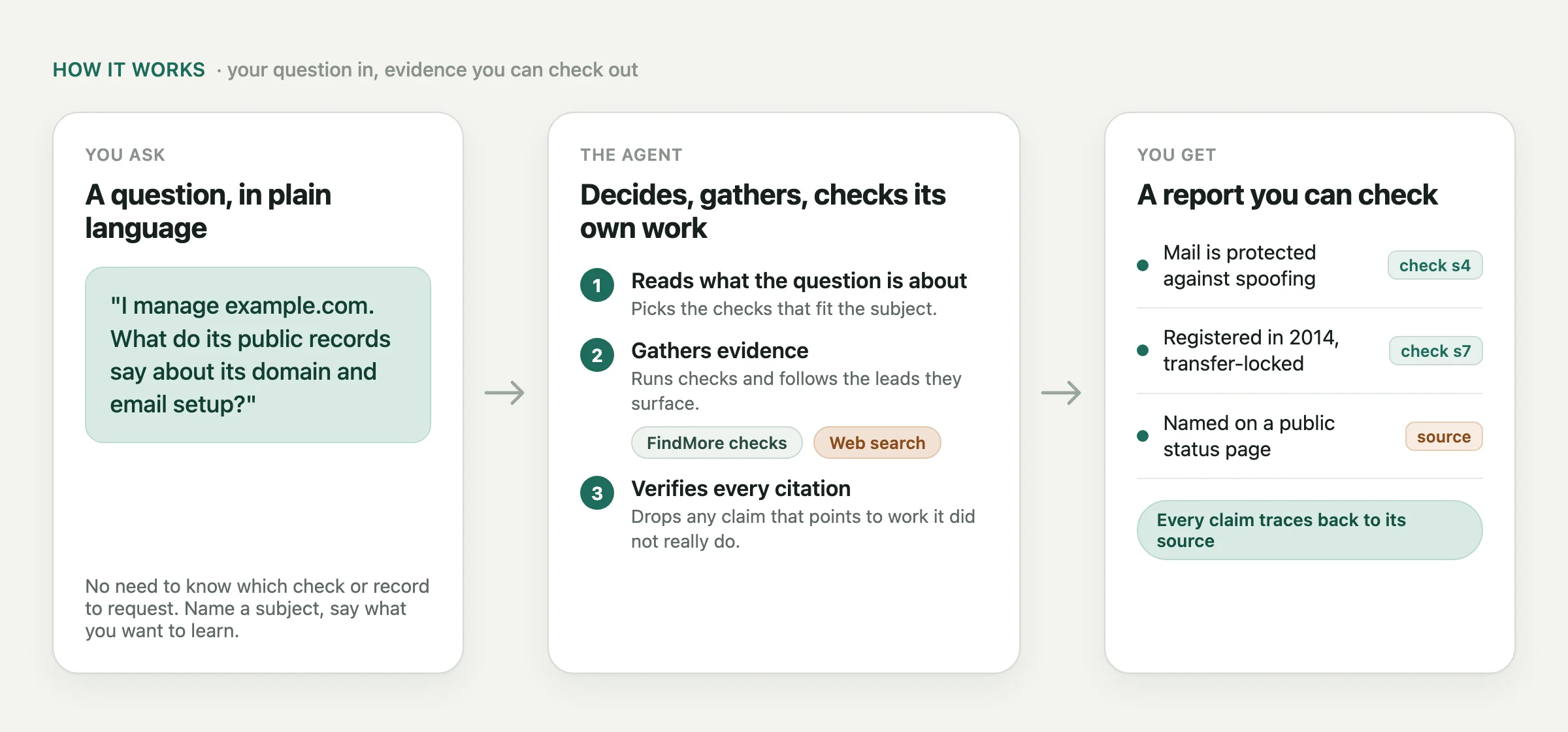
You do not need to know which record to ask for. Name a subject, say what you want to learn.
I manage this website, example.com. What can its public records tell me about its domain and email setup?
That is enough. The subject and the reason are what the agent runs on. The context, that you manage the site, is what makes the recommendations yours instead of generic. That is how to frame a question. It is not a finished report.
If nothing in the conversation is workable, the agent asks you for a subject instead of guessing. A name that fits several people or companies can also need a little more before any finding gets pinned to the right one.
Gather evidence that fits the question
What runs next depends on what you named.
Name a domain, an email, a username, an IP, or a supported wallet, and the agent starts with the checks that fit it. Then it follows the connections those checks surface. An address tied to a DNS record. A subdomain sitting in a certificate log.
Name a company, a project, or a person, and web search is the way in, where it is available. The agent reads the results for sites and accounts that plausibly belong to the subject, then moves to the specific checks.
The interesting part is the rule underneath. A source is only evidence once something actually connects it to the subject. A company named on a news site does not make that site the company's domain. A handle that looks similar does not prove who owns the profile. The agent looks for the connection, and when it is not there, it leaves the link unconfirmed.
It also works inside real limits. A source can time out. A check can be down. The record can just be thin. A check that finds nothing is not proof that nothing exists, and the agent is built not to read it that way.
Read the answer next to its evidence
The report answers your question, and every claim in it is something you can open. A claim points to a check that ran or to a public source it read. The report can also carry confidence labels, next steps, and the questions it could not close.
For the website example, a good answer keeps what the registration lookup returned separate from what the mail checks saw, and it says plainly what is still open. The findings depend on the real site and on what is reachable when the checks run.
Two things keep it honest. FindMore checks that every cited step actually ran and completed, and drops any reference that did not, so a claim stays tied to real work. And a confidence label is a prompt to read, not a verdict to trust. Open the references. Weigh how relevant and recent they are. Check that they hold up the conclusion. What the tool cannot do is prove that every reading is right, or that a web page is telling the truth. That part stays with you.
Continue with a narrower question
The first report is what gives you a better second question.
Ask "which of these relate to email?" or "what should I fix in our own setup?" The agent carries the earlier evidence forward in the conversation, so the follow-up builds on the work already done instead of starting over. That is what makes it useful for understanding a result, not just producing one. Zoom in on one finding. Push on a limitation. Add the context that settles an ambiguous subject.
Try a question you can check
Open Ask and start with something you own, a site or an account whose answer you can check yourself. Name it, say what you want to understand, and read the evidence before you act on it.
You own the conclusions. The agent's job is to find what is relevant, connect it to your question, and make the next step easier to see. That job gets broader as more tools come online. The shape does not change. Your question in, evidence you can check out.